
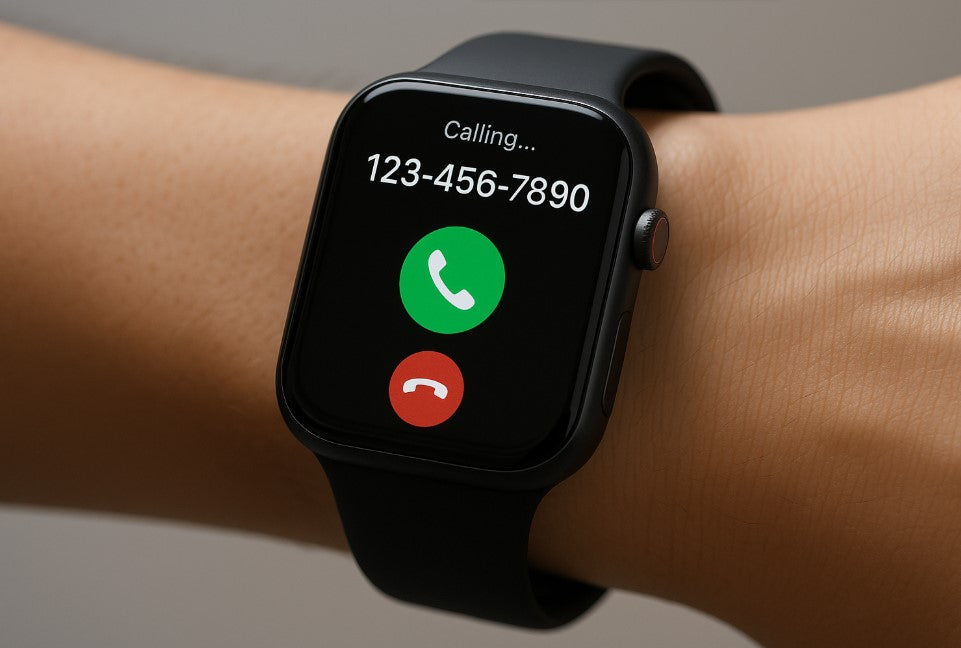
Smartwatches are no longer just accessories that tell the time; they've become small assistants on your wrist, communication bridges, and health tracking devices. However, many users are still searching for the answer to the question: "How do I make a call with a smartwatch?" We won't just settle for the classic "turn on Bluetooth, connect your phone" approach. We'll also cover real-world usage scenarios, technical details to consider, battery optimization, and privacy.
Making Calls with a Smartwatch

Making calls on a smartwatch is actually possible in two different ways:
- Call via phone connection (Bluetooth Call)
- Direct calling using standalone SIM or eSIM
If your watch is connected to your smartphone via Bluetooth, your calls are actually routed through the phone. The watch acts as both a microphone and speaker. However, models with eSIM support are different; these devices can make calls over their own line just like a phone. This gives you the freedom to leave your phone at home while exercising or taking a short walk.
Bluetooth Calling on Smartwatches

Thanks to Bluetooth technology, hands-free calling has become quite common these days. However, many users complain about the sound coming from their phone after connecting. This problem is particularly common with in-car systems or when using a headset. This is because device pairing only allows data transfer and does not activate the audio profile (HFP - Hands-Free Profile). Correct configuration is required for a solution.
To resolve this issue, first ensure that the "Voice Search" or "Phone Calls" permission is enabled in Settings. On iOS devices, this permission sometimes needs to be manually enabled via "Bluetooth → [Device Name] → Voice Calls." This small change in system settings can significantly improve your calling experience.
On Android, you can control it from the "Connected devices → Smartwatch → Call access" menu. While the menu names may vary between devices, you can generally find these options under the Bluetooth settings. With the right configuration, you can seamlessly make calls over Bluetooth and enjoy a hands-free experience.
Real Calling on eSIM Supported Smartwatch Models
Models such as Apple Watch Cellular, Samsung Galaxy Watch LTE, Huawei Watch 4 Pro can work with independent lines.
- Phone addiction is eliminated.
- Music, messages and calls come directly to the watch.
- Call quality is generally quite satisfactory over LTE.
However, eSIM activation requires support from your carrier. This feature is currently only available with limited carriers in Türkiye, so it's crucial to ask "Is eSIM supported?" before purchasing.
How Does the Calling Feature Affect Battery on Smartwatches?
Each call is essentially a small "mini-broadcast" with the microphone, speaker, and Bluetooth or LTE antenna all working simultaneously. This intense activity can drain your phone's battery faster than expected. During voice and video calls, in particular, the device starts to warm up, and power consumption increases. Bluetooth calls generally use less power because Bluetooth technology is designed for close-range communication and operates at lower power levels. However, this advantage only applies when the connection quality is good. LTE/eSIM calls, on the other hand, consume significant battery power, especially during longer calls. Calls made over a cellular network must constantly send and receive high-power signals, which can drain your battery quickly. This is exacerbated in weak signal areas. For heavy users, a combination of Power Saving Mode and Bluetooth calling is most effective. This reduces your phone's overall power consumption and allows you to use a more energy-efficient method for your calls.
Can I make calls with my smartwatch without a phone connection?
Yes, but only on models that support eSIM or SIM cards. Other models are dependent on Bluetooth connectivity.
Can I make WhatsApp calls via a smartwatch?
While some models (e.g., Samsung and Huawei) display WhatsApp call notifications, full voice calls are not supported on all models. This feature typically requires app integration.
Are calls made with a smartwatch recorded?
Yes, call history usually appears synced on both the phone and watch face. However, this data can also be synced to the cloud, so it's important to check privacy settings.
Do I need internet when making a call from a smart watch?
Bluetooth isn't required for calls; the connection is routed directly from the phone. However, calls made via eSIM or VoLTE require a mobile network or internet connection.
What can be done to prevent the caller from hearing the sound from outside?
You can make the conversation completely private by connecting your watch to a Bluetooth headset. Some models also offer a "private mode" or "silent conversation" option.
You might be interested in: What is Airtag? What is its purpose?